
What Are Managed IT Services?
Managed IT services put an outside team in charge of keeping your technology healthy, secure, and supported on an ongoing basis, for a monthly fee. Instead of calling someone after something breaks and paying by the hour, you get monitoring that spots problems early, patching that keeps systems current, backups that are actually tested, and a Help Desk your staff can call. Project work – a new server, an office move, a network refresh – is quoted separately. The monthly plan is what keeps everything running in between.
Signs It's Time for Managed IT Services
- "Our technology feels harder to manage than it should."
- "We're dealing with too many vendors, recurring issues, and systems that don't work together."
- "We're constantly reacting instead of planning."
- "Our team doesn't have the time to stay ahead of cybersecurity, updates, and aging systems."
- "When something goes wrong, we need help quickly."
If any of those sound like your office, you want a partner who understands your business, takes ownership, and makes technology easier – not another problem to manage. That's the job.
AdventCare: Managed IT Plans With Security Built In
Three plans, priced per PC or per server. Start with the essentials, or build security in from day one.
|
What's included |
AdventCare PC |
AdventCare PC Secure+ |
AdventCare Server Secure+ |
|---|---|---|---|
|
Endpoint monitoring and management |
✓ |
✓ |
– |
|
Endpoint and identity threat detection and response (EDR/ITDR) |
✓ |
✓ |
✓ Windows, Mac and Linux |
|
Microsoft 365 tenant backup |
✓ |
✓ |
– |
|
Spam filtering |
Basic |
Advanced |
– |
|
Help Desk and technical support |
✓ |
✓ |
✓ |
|
Patch management and core security administration |
✓ |
✓ |
– |
|
Cloud continuity for PC backup |
– |
✓ |
– |
|
Advanced email security |
– |
✓ |
– |
|
Malware protection |
– |
✓ |
– |
|
Security awareness training |
– |
✓ |
– |
|
Multi-factor authentication (MFA) |
– |
✓ |
– |
|
DNS filtering |
– |
✓ |
✓ |
|
Zero Trust Network Agent |
– |
✓ |
✓ |
|
Password management |
– |
✓ |
– |
|
Dark web monitoring |
– |
✓ |
– |
|
Vulnerability scanning |
– |
✓ |
✓ |
|
24/7 server monitoring and management through a SOC |
– |
– |
✓ |
|
Business continuity and disaster recovery (BCDR) |
– |
– |
✓ |
|
Security information and event management (SIEM) |
– |
– |
✓ |
AdventCare PC and PC Secure+ are priced per PC; Server Secure+ is priced per server. Terms run 12, 36, or 60 months. Every quote follows a discovery meeting – we don't work from list pricing.
Add-On Services

Security in Every Plan
Every AdventCare plan includes endpoint and identity threat detection, Microsoft 365 backup, and patching.
PC Secure+ adds the controls cyber insurance applications commonly ask about: multi-factor authentication, advanced email security, DNS filtering, a Zero Trust network agent, password management, security awareness training, and dark web monitoring.
Server Secure+ adds around-the-clock monitoring by a security operations center, event logging and analysis, vulnerability scanning, and business continuity and disaster recovery. We also support customers with HIPAA, PCI DSS, CMMC, FTC Safeguards Rule, and CJIS obligations.
Planning and Strategy
Most IT surprises are predictable: a server reaching end of life, a firewall falling out of support, a renewal nobody budgeted for. Advent's vCIO service – a virtual chief information officer on our own staff – meets with you on a regular schedule to review your environment, flag aging systems and security risks, and build a technology roadmap and budget around your goals. vCIO is available as an add-on to any managed plan.

How Switching to Advent Works
Changing IT providers doesn't have to be complicated or disruptive. We build a step-by-step transition plan and manage the details with you from start to finish.
Step 1: Discover
- What happens: We learn your current environment, challenges, priorities, and goals.
- What you get: A clear assessment and a recommended path forward.
- How long it takes: 1 to 2 weeks
Step 2: Plan
- What happens: We set timelines, responsibilities, dependencies, and communication points.
- What you get: a documented transition roadmap.
- How long it takes: 1 to 2 weeks
Step 3: Prepare
- What happens: We configure and test your new services while your existing environment keeps running.
- What you get: A ready-to-go, Advent-supported environment.
- How long it takes: 2 to 6 weeks
Step 4: Transition
- What happens: We coordinate the change, keep your team informed, and minimize disruption.
- What you get: A managed go-live, with Advent on hand.
- How long it takes: 1 to 3 days
Step 5: Support
- What happens: We monitor, resolve issues, answer questions, and identify improvements.
- What you get: Ongoing support and a prioritized improvement plan.
- How long it takes: Priority improvements identified and implemented within the first 30 to 90 days
When Something Breaks, You Have a Team to Call
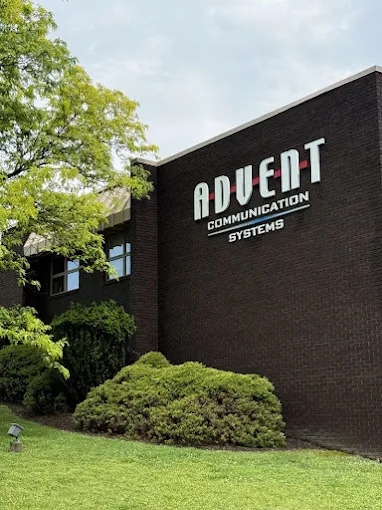
Not a ticket number to chase. During business hours, call or email our Help Desk, and a person picks it up, with response targets set by the priority of the issue. Customers with a support agreement are first in line under an SLA. When a problem needs hands-on hardware, our technicians come onsite.
- Business hours: Monday–Friday, 8 a.m.–5 p.m., at (724) 916-2500 or by email
- After hours: optional coverage – call the same number, and our answering service reaches the on-call technician
- Around the clock: servers on AdventCare Server Secure+ are monitored 24/7 by a security operations center
- Onsite: across Pennsylvania, West Virginia, Northeast Ohio, Western New York, and the Tampa Bay area
24/7
Support available
20+
Average Years Of Experience
2,500+
Satisfied Clients
Microsoft · Datto · Huntress · ThreatLocker · Proofpoint · Fortinet · Cisco Duo · WebTitan · Cavelo
Technology We Deploy and Support
Advent's certifications and partner relationships give our engineers direct escalation paths, current product training, and manufacturer support when you need answers – local expertise backed by the companies behind the technology.








Results From Our Managed IT Customers
We've worked with Advent for many years, and they've consistently delivered the support and expertise our organization needs. When we upgraded our old phone system to the cloud, the entire process was seamless. The project team kept us informed every step of the way, and the transition was professionally managed from start to finish. The platform is easy to use and has made communication much more flexible for our staff.
On the IT managed services side, Advent has provided a cost-effective solution backed by a knowledgeable and responsive team. Whenever we need assistance, I know there is someone available to help. Their technical staff has been excellent to work with, and they've given us confidence that our systems are being properly managed and supported. What stands out the most is the peace of mind. Whether I'm on vacation, away from the office, or unavailable, I know Advent is there to support our organization and keep things running smoothly.
I would absolutely recommend Advent to any organization looking for cloud communications or managed IT services.
Managed IT for Organizations Like Yours
Healthcare
Protect patient information, strengthen communications, and keep the technology reliable so caregivers stay connected and patient services keep moving.
K-12 & Higher Education
Secure, reliable technology that supports learning, protects students, and keeps staff and communities connected.
Manufacturing
Minimize downtime, secure critical systems, and keep the people and equipment that keep production running.
Finance & Business
Safeguard sensitive financial data, strengthen cybersecurity, and keep communications and infrastructure dependable for trust and business continuity.
Frequently Asked Questions
How much do managed IT services cost?
What's the difference between AdventCare PC and PC Secure+?
How quickly does Advent respond when something goes wrong?
Do you provide onsite support?
We already have an IT person. Can Advent work with them?
Will switching to Advent disrupt our operations?
What happens if something breaks after hours?
Works Best With
Start With a Free IT Security & Network Risk Assessment
Our experts review your environment – exposed credentials, endpoint protection, email security, DR testing, ransomware exposure, firewall configuration, network segmentation, and Wi-Fi – and hand you a one-page report with your overall risk score and the top five security improvements we recommend addressing.
Office
250 Meadowlands Blvd.
Washington, PA 15301
Hours
M-F: 8am – 5pm
S-S: Closed